10 Axiom Presets and how I made them
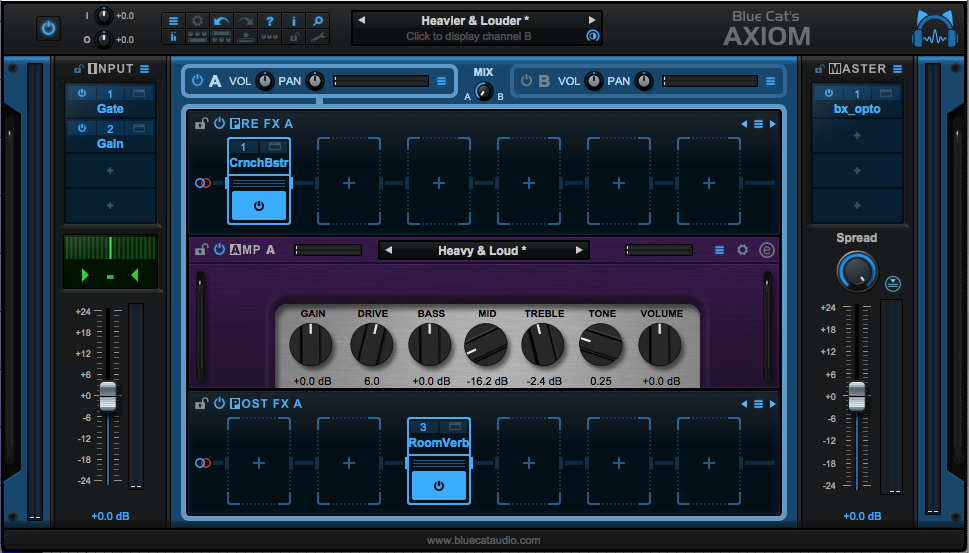
In my Axiom Review I complained about the presets. One of the fine fellows at Blue Cat more or less told me to "put up or shut up" in a very kind way, and (s)he was totally right in doing so.
I didn't actually give a good constructive summary of how to improve the presets, or how a user could create patches suited to their tracks.
Not all of these are guitar sounds!
So that's what I'm doing today. I have 10 presets here for Axiom that I took from "real sessions". I'm going to explain how to use them, how I came to the settings I used, and the tricks I use when utilizing Axiom.
A lot of these tips apply directly to Blue Cat Destructor as well.
Melda Freeform: Part 2
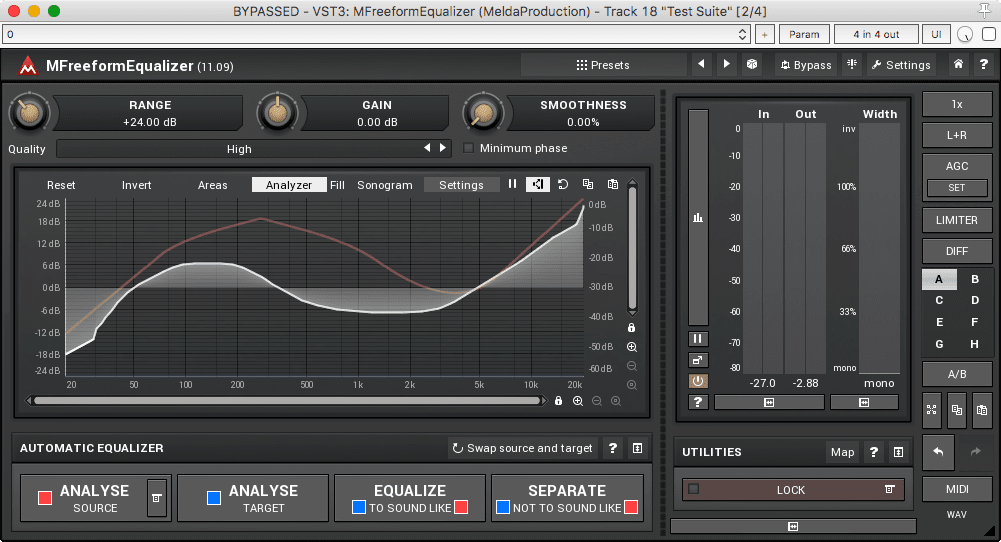
Part 2 and the conclusion of the MeldaFreeform series review. Be sure to Check out Part 1 since that has a lot of info as well.
I'm also doing a short comparison between the Harrison AVA Mastering EQ and some of the Melda Freeform products.
Enough chattering... let's get on with it.
Melda Freeform: Part 1
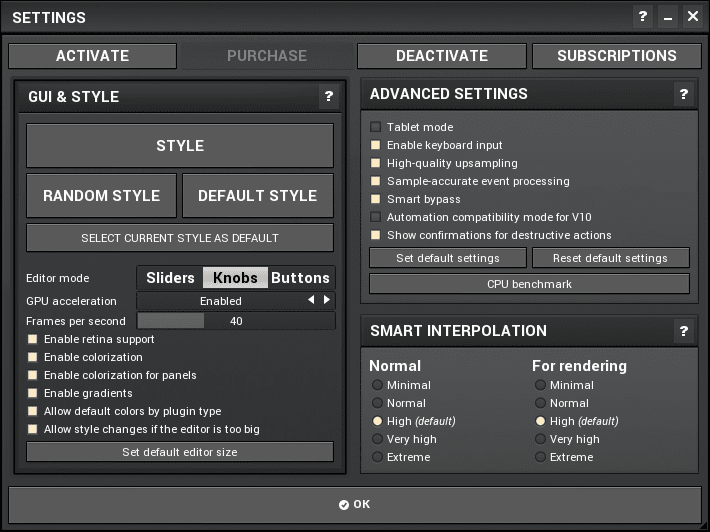
MFreeformAnalogEQ, MFreeformEqualizer and MFreeformPhase. That's what I'm going to cover because I was asked by Lorenz at Xarc Mastering.
The Melda system is quite feature-filled, so I'm going to be splitting this review in to 2 parts: Part 1 (this) and Part 2 (coming soon!). Part 1 is going to cover features that are common between the 3 products, and other Melda plugins. Part 2 is going to cover the unique functionality of the 3 products.
I will also be comparing MFreeformAnalogEQ and MFreeFormEqualizer to Harrison AVA Mastering EQ.
Be sure to check out Part 2 as well!
Without further ado... let's see what these plugins have in common.
DIY Resistance band station
My wife has a neck injury for which she uses resistance bands in her therapy regimen.
The rub is that the bands need to be held at certain positions, in various ways, so that she can pull on them. Our house is basically a labyrinth of workshops, we don't even have a living room. We're both artsy/crafty folk that don't have much of an interest in a "normal" house. The result is that there's only one place in the house where she can spread her arms out.
That place also happens to be the main walkway in the house. Which means I don't want things on the wall where I'll inevitably run in to them and destroy it, or me.
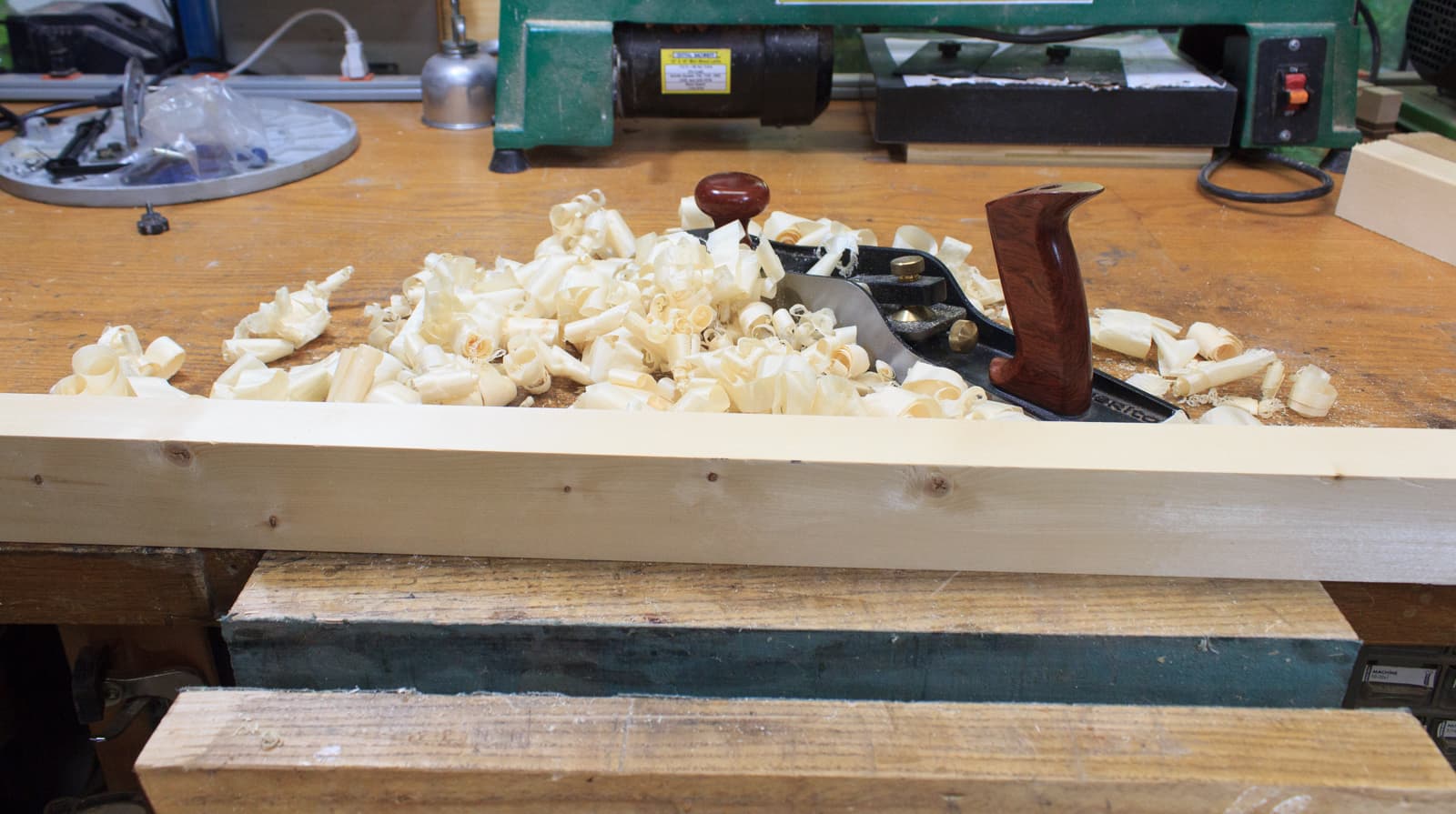
My solution was to build a portable resistance band holding station that can be clamped on the wall.
Luckily, this also buys me some time for my next review that's coming up later this week. It's taking me some extra time so consider this post my ninja-kung-fu redirection while I finish it.
On with it!
You're probably miking drums wrong, and how to fix it: Part 3
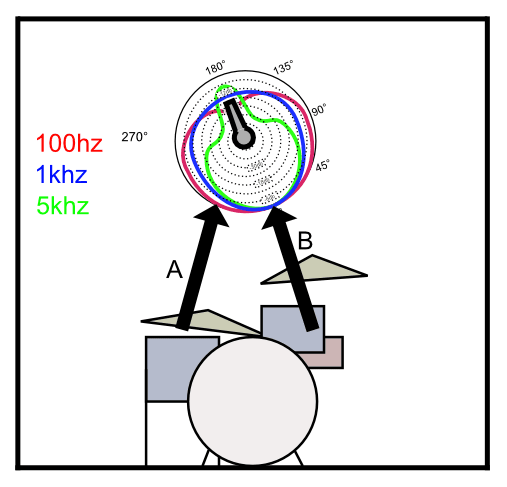
I was asked to discuss single mic setups, so that's what I'm doing today. I'm also going to cover some issues with using omnidirectional microphones (any microphones actually...)
Please first read:
I am going to assume that you are familiar with the methods I'm using in this article. Those topics are covered in the first 2 parts.
Harrison AVA Mastering EQ: An Investigation
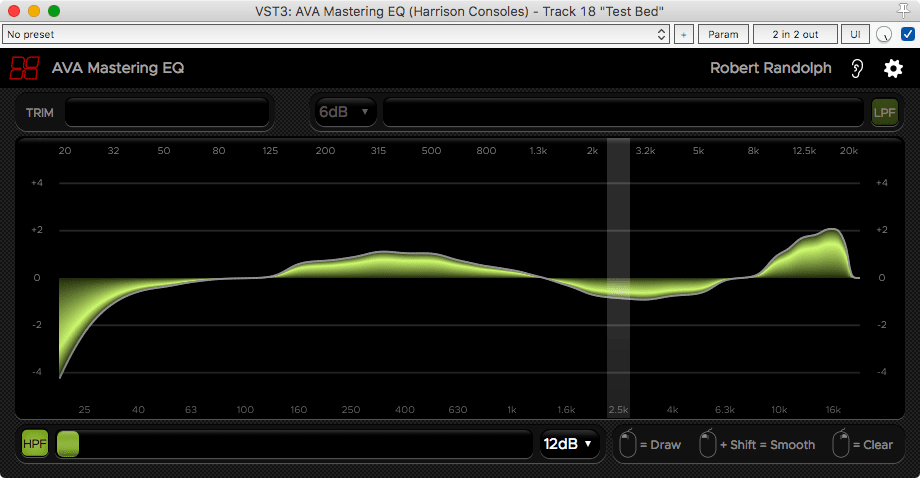
Harrison recently Released the AVA Mastering EQ. I already reviewed its Mixbus cousin and quite frankly I didn't think too highly of it based on the asking price.
AVA Mastering EQ is a VST/AU/AAX version of XT-ME at a far more reasonable price of $49 (on May 1st, 2018). I suggest simply taking this price in to consideration as I explore this product.
This is not a review per se. This is my curiosity being documented. I'm just going to explore the product and take you along for the ride. If you think my findings are evidence of a purchase worth $29 then go for it.
I was given this plugin for beta testing, and I talk with a number of employees at Harrison frequently now. I'm fairly certain that my personal views on this product are tainted by my relationship with their team at this point. So I'm going to avoid giving a final recommendation of any sort. Keep in mind that my exploration may be similarly influenced... or not. You decide.
Scaler Q&A
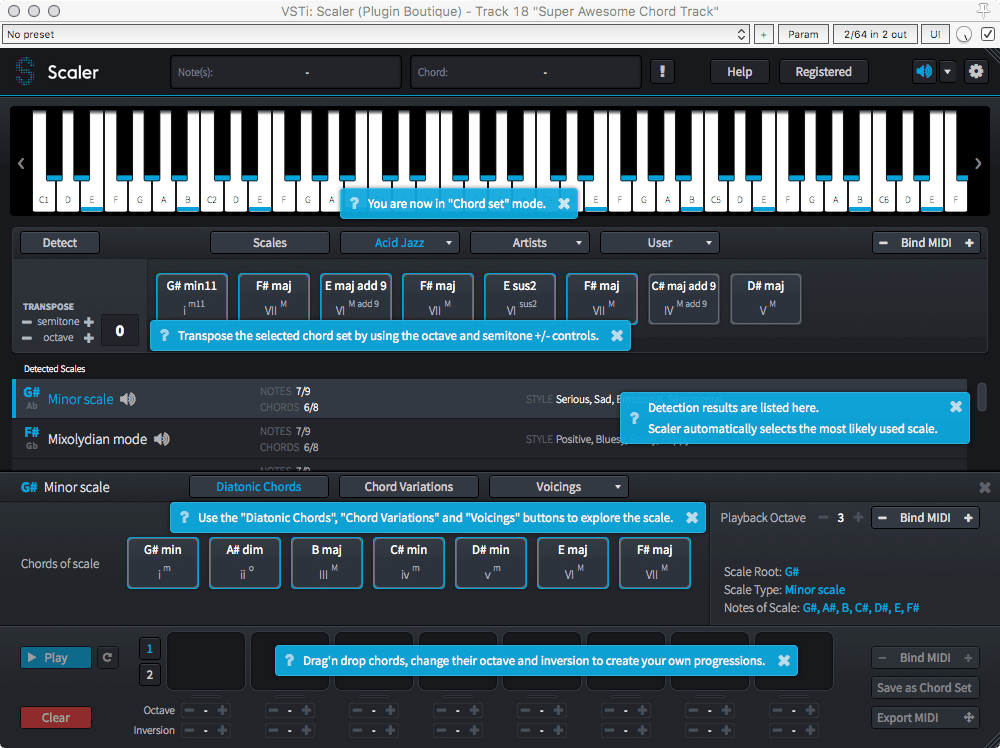
On April 28th, 2018 at the EDM Production Discord I held a Q&A with The guys behind Scaler
Here is the transcription of the live session.
You're probably miking drums wrong, and how to fix it: Part 2
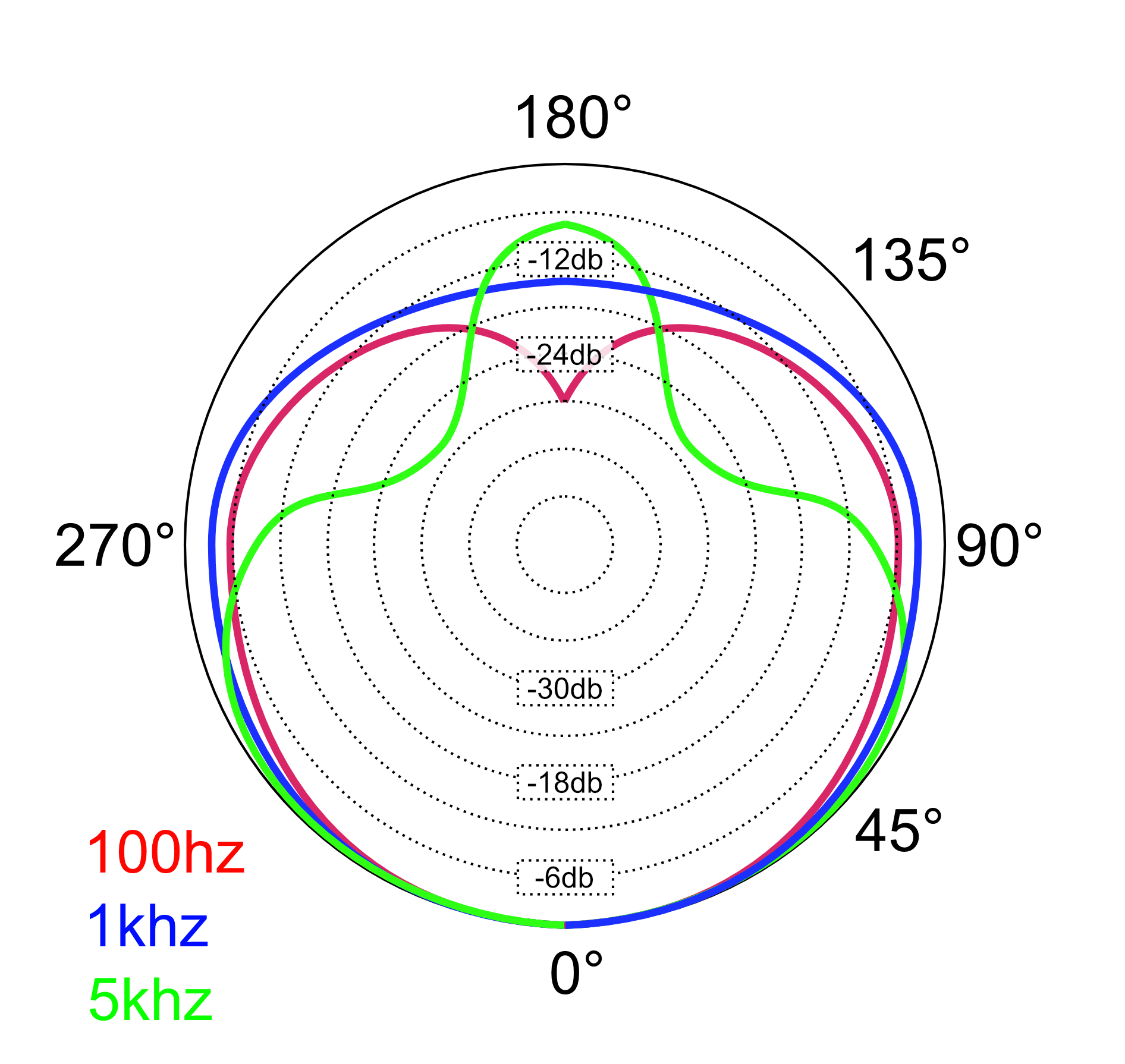
In Part One of this series I discussed placement of microphones. Microphone placement is very important with regards to tonality and time/phase coherence. When using two microphones for a stereo array, distance is also an important factor with regards to amplitude.
There's a missing piece of the puzzle though: Microphone pickup patterns. So in this post I'm going to discuss various drum miking systems, their deficiencies and how to approach correcting them if necessary.
I want to reiterate once again, since many people seemed to miss it, I am not claiming that any specific system of drum miking is wrong. My claim is that if you are making decisions about microphone placement without being aware of the tradeoffs of each system, then you're doing it wrong.
However I do strongly believe that there are systems that can be used with minimal tradeoffs (and likewise minimal artistic benefits).
Anyway...
Reading Part One is pre-requisite for reading Part Two.
You're probably miking drums wrong, and how to fix it
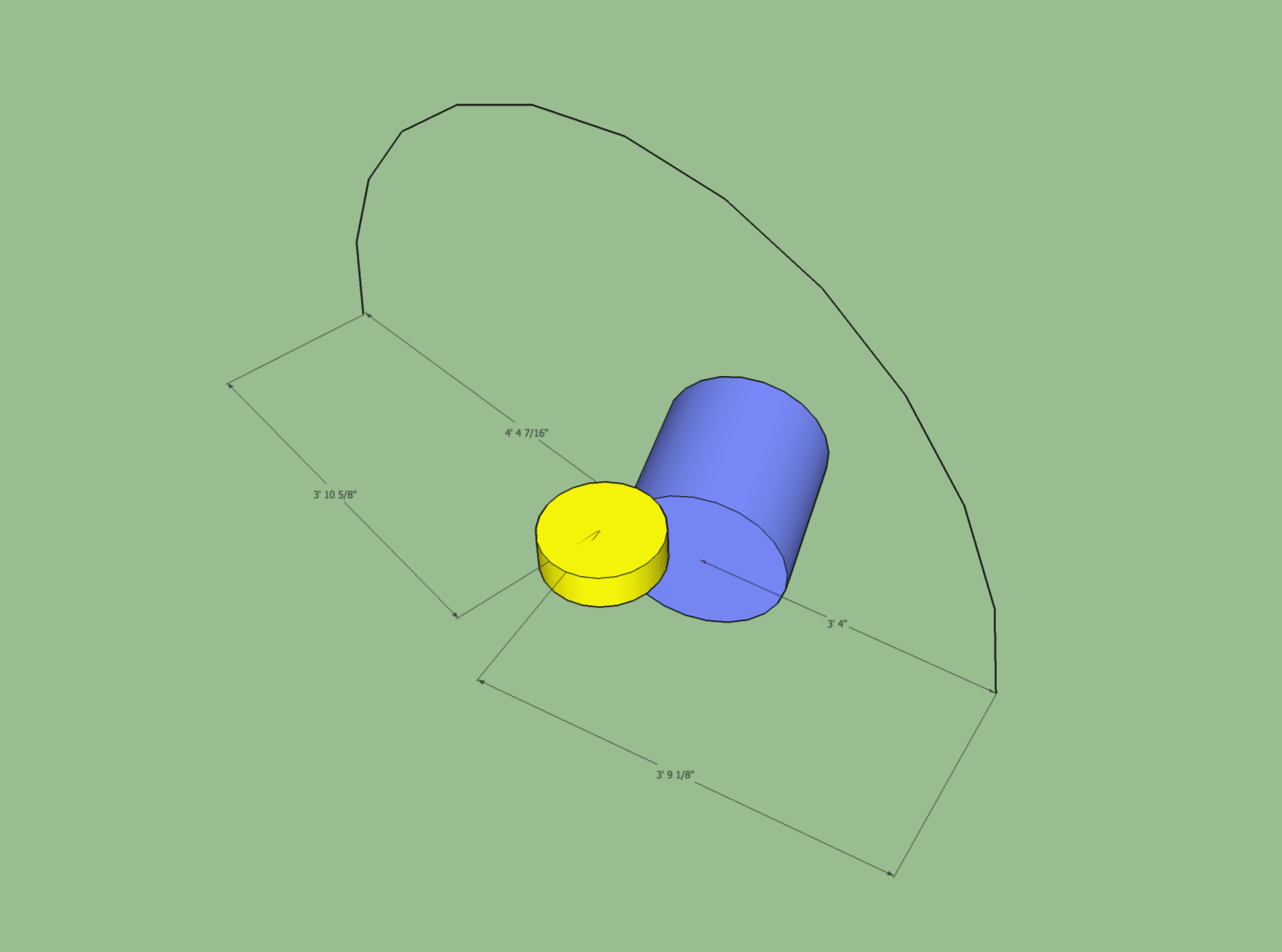
Today I'll be discussing how to place Drum Overheads, and specifically what I think many people are 'doing wrong'. This is largely in the context of the Glyn Johns technique and the Recorderman Technique, but it also applies to various other drum overheads miking techniques.
Before you get your jimmies rustled, let me say that there's not really a "wrong" way. Thousands of awesome sounding records have been made using a variety of wonky techniques. What's really important is that you capture the sound of the drumkit in a way that best represents the instrument in the context of the mix.
What I'm offering you is a geometric explanation of how to establish a good starting point, and explaining some potential snafus with various techniques.
I'm also going to discuss how many people explaining this techniques do a somewhat poor job. I've gone through many videos and text descriptions and there seems to be common misconceptions that I wish to clear up.
I'm going to try to do my best to explain this mathematically, but also 'intuitively' (whatever that means). There's going to be 3 different explanations of the same topic. I hope one of them makes sense to you.
Onwards!
Repair an Ice Cream Scoop
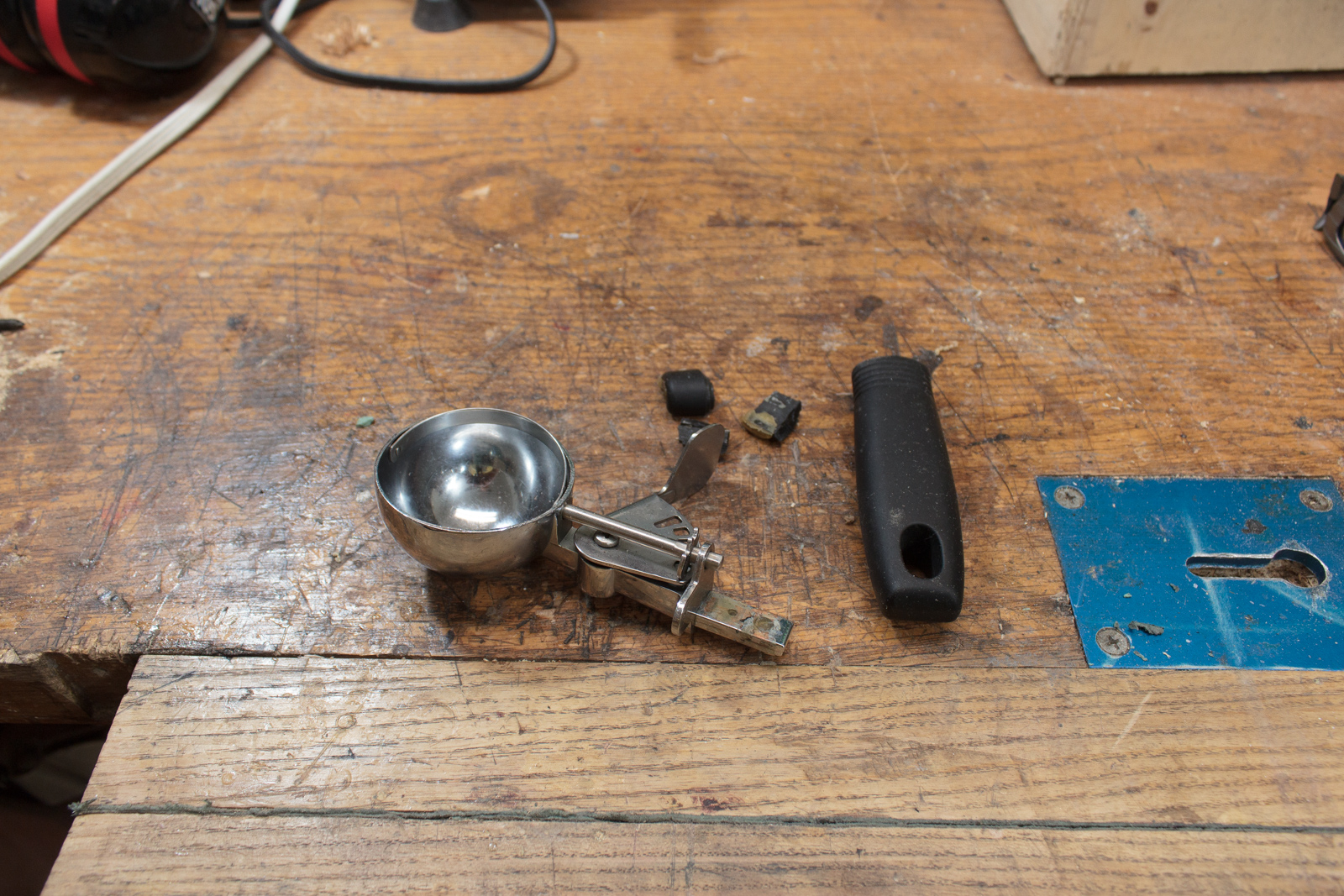
My wife broke the ice cream scoop. It's not a fancy one, but it's the one we have.
So what's my job? My job is to fix it of course... after being reminded about a dozen times. It's basically 'Husband Energy'. Each reminder slowly builds up sufficient energy so that I can complete the task, but the task can not be completed until that energy is sufficiently in store.
It's go time!
Blue Cat Axiom Plugin Review
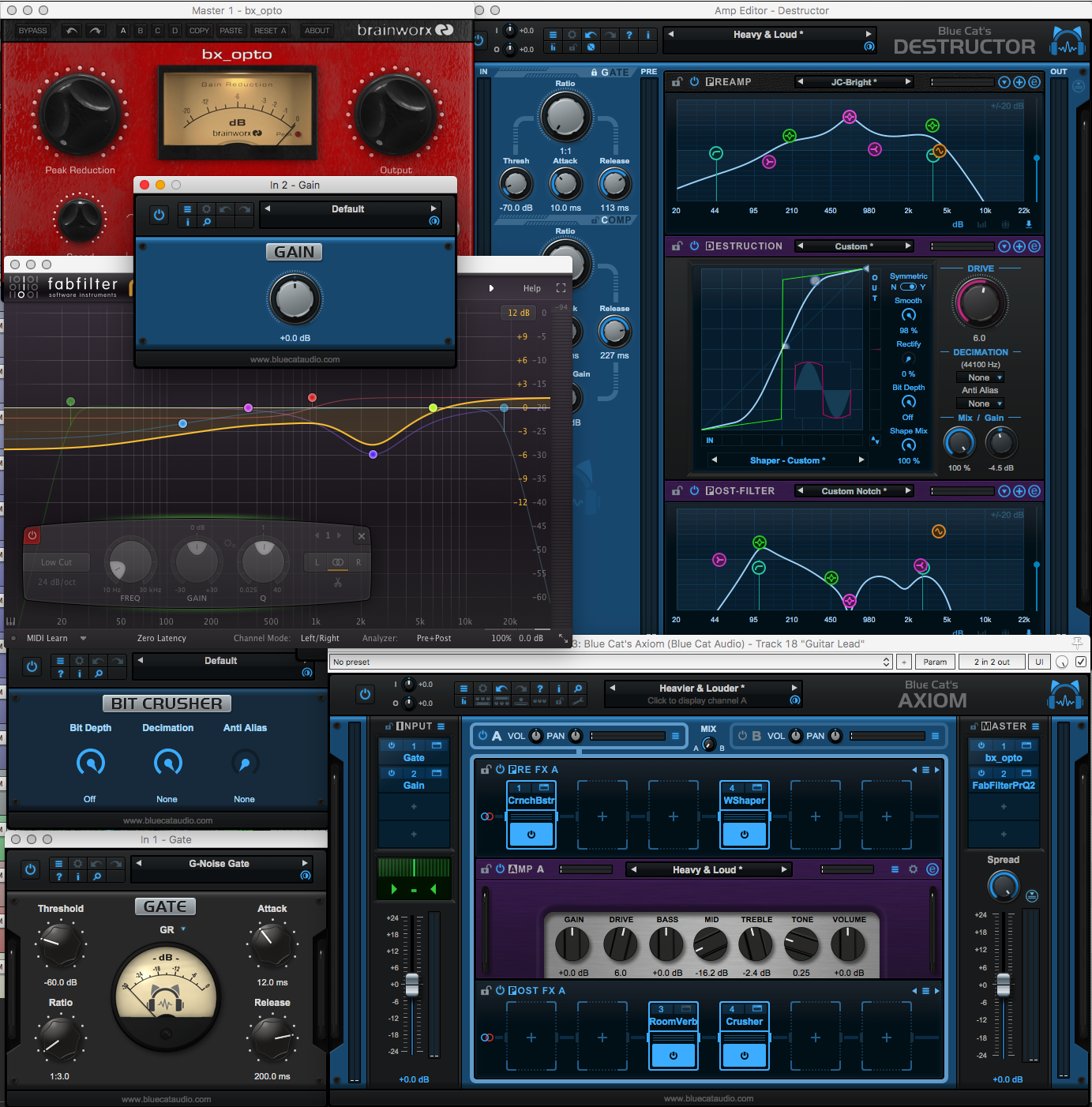
Blue Cat is delivering their new product 'Axiom' soon and I'm here having a blast with it. This will be the first solo plugin review I'm doing, despite having reviewed 100s of plugins already (in DAW reviews).
Axiom is mainly targeted as a guitar system, however it's also an great multi-effects solution for any sort of sound.
I was provided an early NFR (not for resale) review copy.
As of this writing... this is the first review I know of about Axiom. It's currently not released yet (and I do have permission to release this).
Let's get on with the review!
UPDATED Updated for Axiom 1.1.
Axiom Sound Samples
There's going to be a plethora of amazing sound examples out in the coming weeks for Axiom, but I think I can provide you a unique experience with my comparator. That means that all of these sounds are LUFS normalized to -18dB LUFS for better comparison.
I'll do a few styles of guitar, some bass, some drums and some synth processing. These samples don't come remotely close to covering what Axiom is capable of, but it's something to whet your appetite.
I've tried to keep the riffs simple. I also left in the finger noises, buzzing and other bits. There was no editing or corrective effects applied at all.
Each example will have notes about the guitar used, and a dry clip that you can reference against. I am not using presets here. I created most of these from scratch, so you're hearing partially my tastes and Axiom's capability.
Sound samples are recorded in to a Focusrite Clarett 8PreX using the instrument input or using a self-made DI box using a Lundahl 1935 transformer.
There is 187mb of audio here! It will be loaded as soon as you click-through. If you are on a limited data plan, please be careful.
-
If files don't load, or don't play, then refresh your browser.
-
If the last 2 sections don't show, then you're a victim of a bug I fixed. Hold control(Win)/command(Mac) and refresh to update your caches. (or empty caches).
-
I have no idea how my server is going to handle this. It could blow up. We'll see.
Click 'Read More' to hear them (or you were linked here by the Review post
Waveform: the good, the bad, the weird. - Version 9.1.1, Part 10: Conclusion
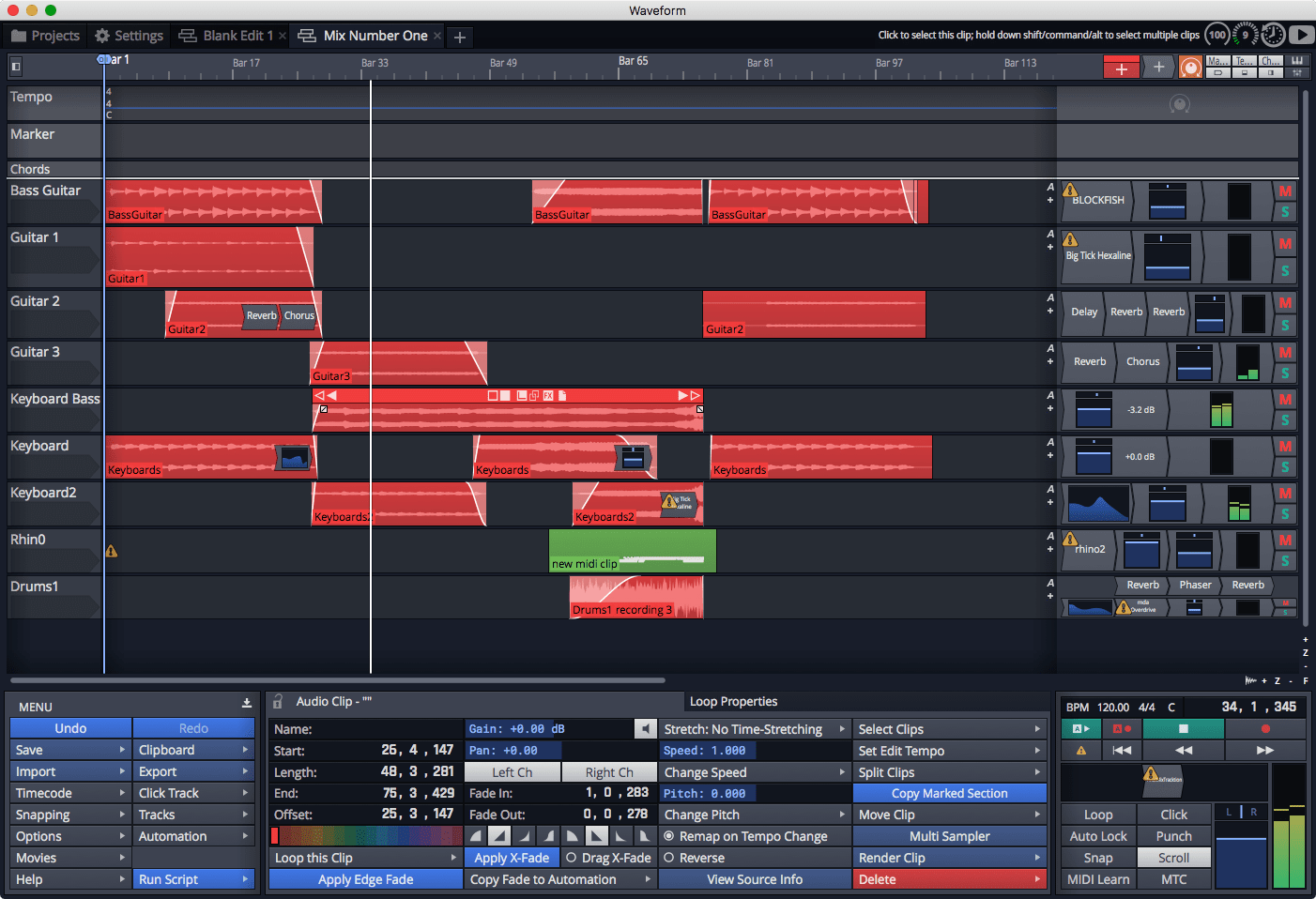
I'm done with my Waveform Review. So now it's time for me to publish my final thoughts about the product. I don't want to spoil anything so you'll have to click in to the post (this isn't a ploy for ad views, I don't have ads. It's just easier for me to write the post this way).
I also updated the DAW Chart with Waveform. As of writing this post, I have no idea what the total score is. I input my ratings from my notes. When this post is published, I will be as surprised as you to find out how it fares on the chart.
Other parts in this series:
VERSION - This review is (hopefully) accurate as of Waveform 9.1.1. Further versions may obsolete these views.
Waveform: the good, the bad, the weird. - Version 9.1.1, Part 9: Instruments and Effect Review
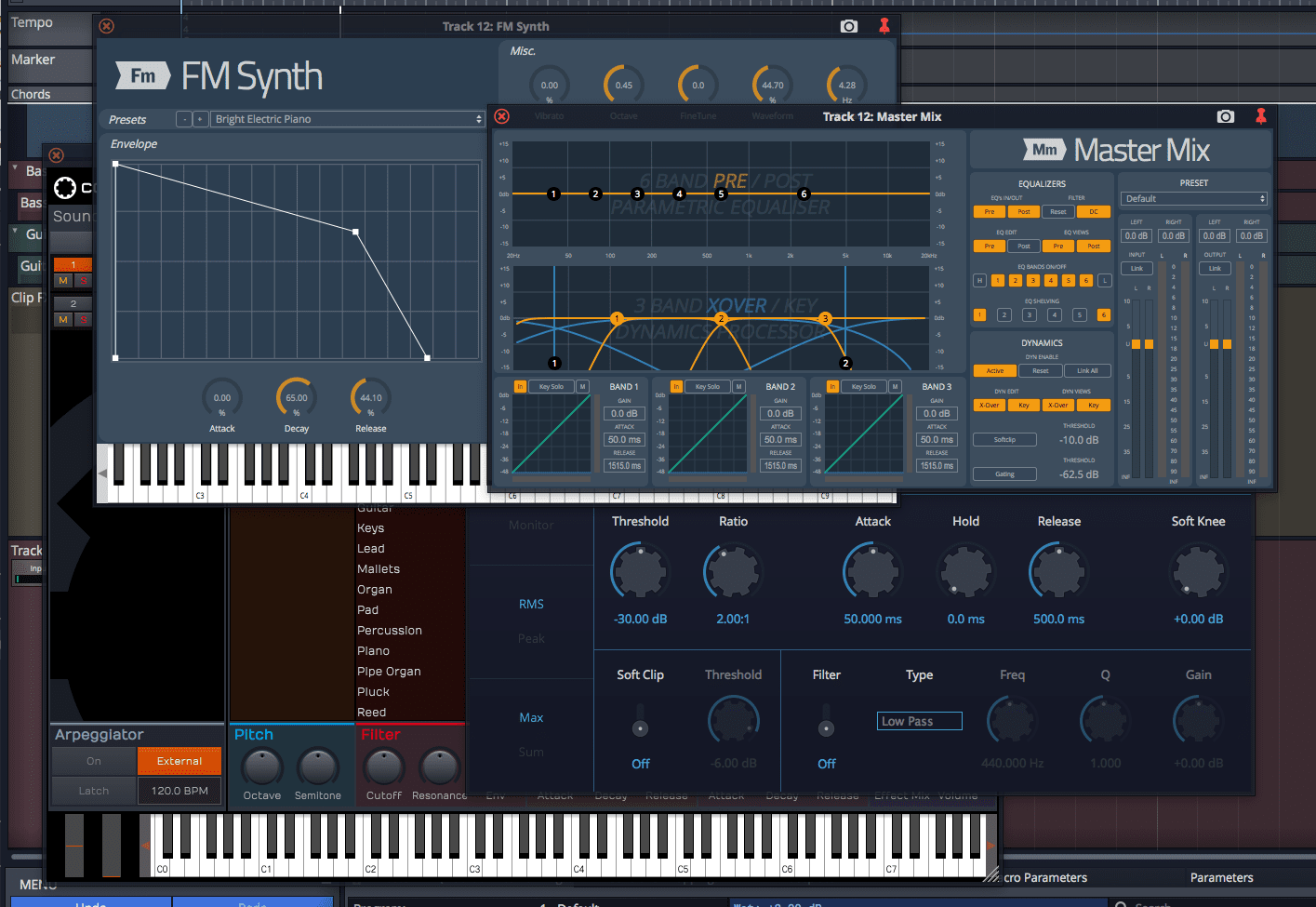
42 plugins I counted. I think that's right... That's what you get with the Waveform Ultimate bundle. 41 in Waveform+ and there's 24 (I think) in the Basic version.
So it's time for the part of the DAW review where I spend a ridiculous amount of time testing and doing reviews of every single plugin that's included. Each plugin will have one of 3 labels on it that indicate my overall review of the plugin, along with my commentary. Here's what the labels mean:
- Fantastic - These are plugins that I think would be an excellent value to purchase if possible. Likewise, they compare favourably with third-party plugins on the market.
- Sufficient - Sufficient get the job done without much hassle. There may be no fancy extra features like some third-party competitors, or maybe the DAW version is missing some common feature, but nevertheless it's enough to get the job done.
- Flawed or Replace - As the name implies, these plugins have some sort of flaw or they are so limited that they can be replaced by a better solution. I will only use the 'Replace' option if I explicitly know of a free multi-platform (mac/win, sorry Linux dudes) option that I think is better.
It's important to recognize that Biotek and The DAW Essentials Collection come as VST/AU/AAX/Linux VST. Master Mix is available as an external plugin, but that does not appear to come with Waveform Ultimate.
Spoiler - Overall rating Waveform Basic:
Other parts in this series:
VERSION - This review is (hopefully) accurate as of Waveform 9.1.1. Further versions may obsolete these views.
Waveform: the good, the bad, the weird. - Version 9.1.1, Part 8: Clip Layer FX, Multisampler, Scripting, Project Management and more
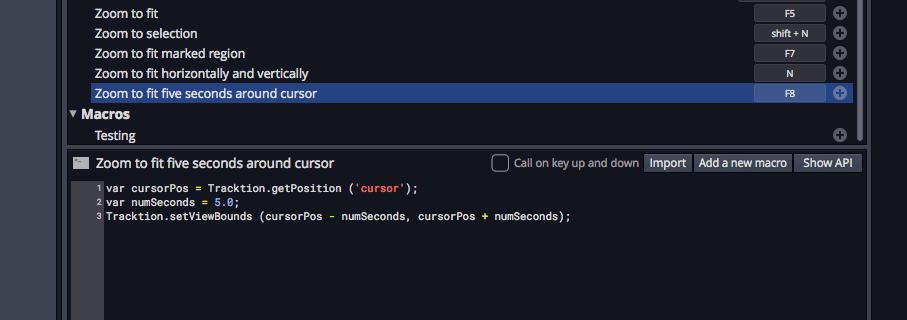
This is the cleanup post. Only 2 more posts left: Effects/Instruments review and the conclusion. So this post is where I try to cover the other things that I've missed so far that I find interesting.
There might be a surprise coming later anyway... ;)
- Good
- Clip Layer FX
- Multisampler
- Macros
- Project Management
- Faceplates
- Clip Render
- CPU Metering
- Freezing
- Bad
- Scripting
- Plugin Delay Compensation
- Weird
- Menu Shortcuts
Other parts in this series:
VERSION - This review is (hopefully) accurate as of Waveform 9.1.1. Further versions may obsolete these views.
Waveform: the good, the bad, the weird. - Version 9.1.1, Part 7: Recording
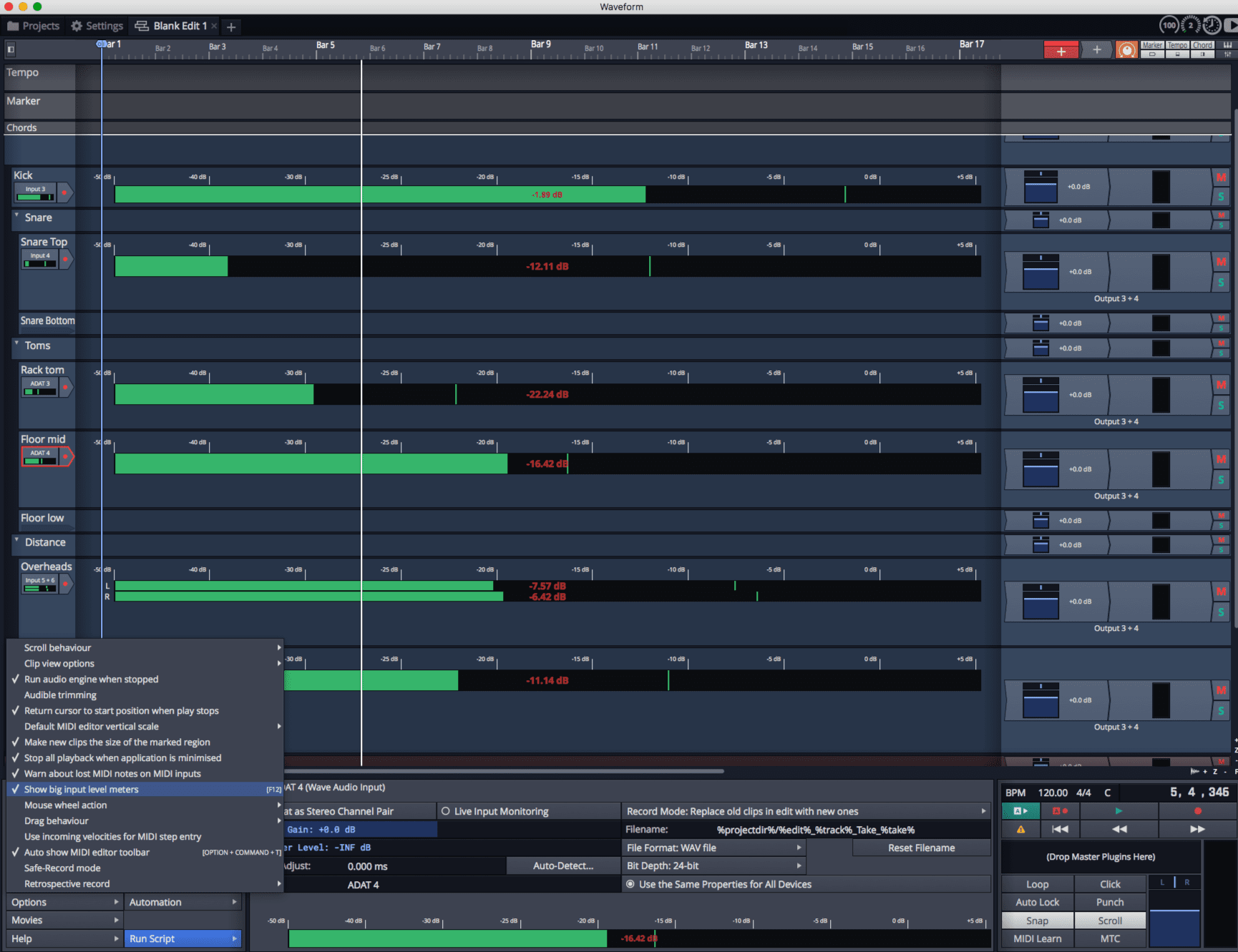
Your favorite part of the week has arrived! Part 7 day!
As I'm slowly becoming more familiar with Waveform, you may notice that the review is also becoming more focused. Today I'm going to cover the good, the bad and the weird of recording in Waveform 9. Recording Audio and MIDI are the topics.
You may notice that this article is perhaps more substantive than others, and that's because this is what I do day in and day out. I record. I still put in a lot of effort to other sections, but this topic comes more naturally to me due to how I've been using Waveform this last month and my general life experience.
This article has some of my favorite features in the software, and some things that other DAWs really should learn from, but like with all software there's some small things that sour the experience a bit more than it seems like they should. Regardless, Waveform excels in this area... mostly.
- Good
- Retrospective Recording
- Trigger Level
- In Track Meters
- Record to Flac
- Multiple input assignments
- Stacked Recording
- Input Dragging
- Abort and Restart
- Bad
- Recording Delay Compensation
- Low Latency Monitoring
- Latency Issues
- Multiple Record Arming
- Recording Delay Compensation
- Weird
- Stereo Input
Other parts in this series:
VERSION - This review is (hopefully) accurate as of Waveform 9.1.1. Further versions may obsolete these views.
Waveform: the good, the bad, the weird. - Version 9.1.1, Part 6: MIDI Editing
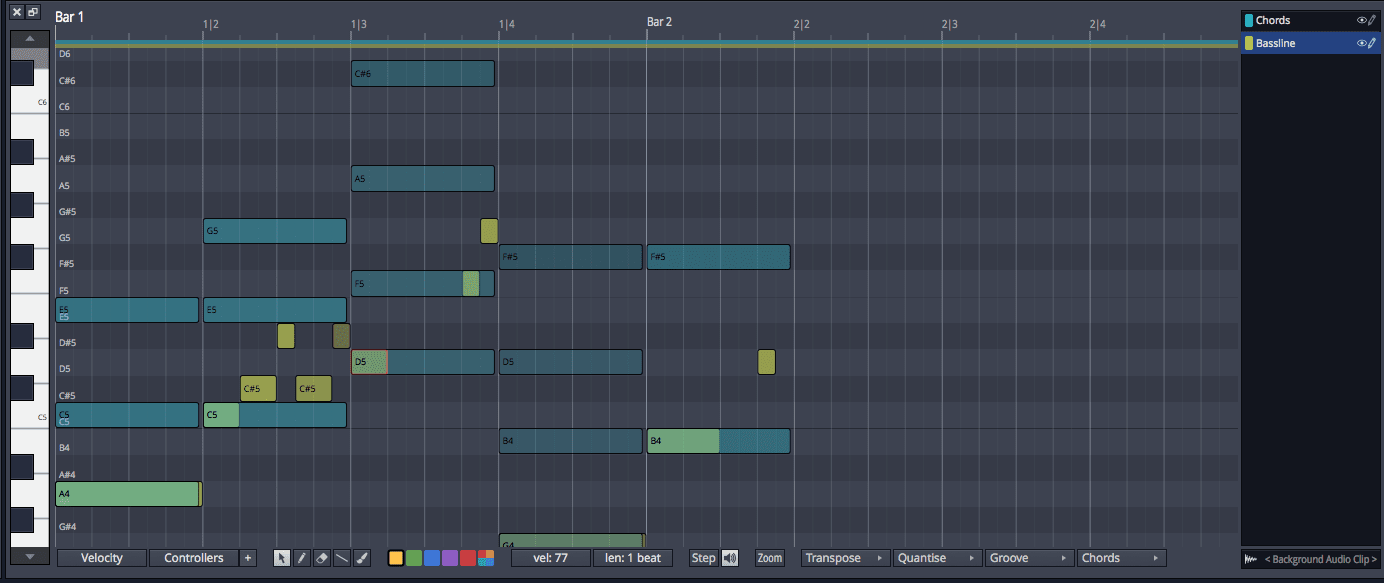
It's MIDI Day! Today I'm covering MIDI workflows specifically, even though I did that partially in part 4 and part 5.
I know that it seems like there's a lot of bad things today, and there is, but the core experience is decent. If you are a workflow-maven, a super MIDI nerd or you love exploring the depths of what can be done with MIDI, then you need to try the demo first.
- Good
- Basic MIDI Editing
- Bad
- MPE
- Notation
- Advanced MIDI Editing
- Default Shortcuts
- Per-Note Colouring
- Step Recording
- Weird
- MIDI Multi-Editing
Other parts in this series:
VERSION - This review is (hopefully) accurate as of Waveform 9.1.1. Further versions may obsolete these views.
Waveform: the good, the bad, the weird. - Version 9.1.1, Part 5: Step Clips, Loops, Clip Linking, Loop Recording, Track Presets
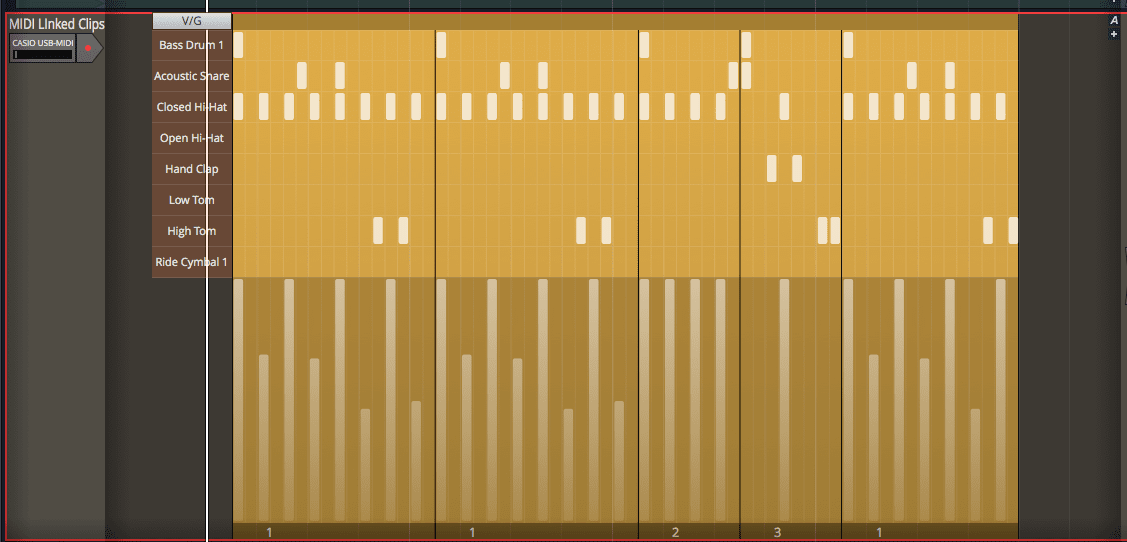
Back in part 4 I discussed a few arrangement and composition features in Waveform 9. I made a promise that part 5 would have even more arrangement and composition tools discussed.
And I'm sorry but...
That's what I'm doing today.
"On with it!", he said with a tear sliding down his cheek.
- Good
- Step clips
- Loop handling
- Clip linking
- MIDI Loop Recording and Comping
- Audio Loop Recording and Comping
- Track Presets
- Bad
- Surprise!
- Weird
- Surprise Again!
Other parts in this series:
VERSION - This review is (hopefully) accurate as of Waveform 9.1.1. Further versions may obsolete these views.
Waveform: the good, the bad, the weird. - Version 9.1.1, Part 4: Pattern Generator, Edit Clips, Folder editing, Chord Track
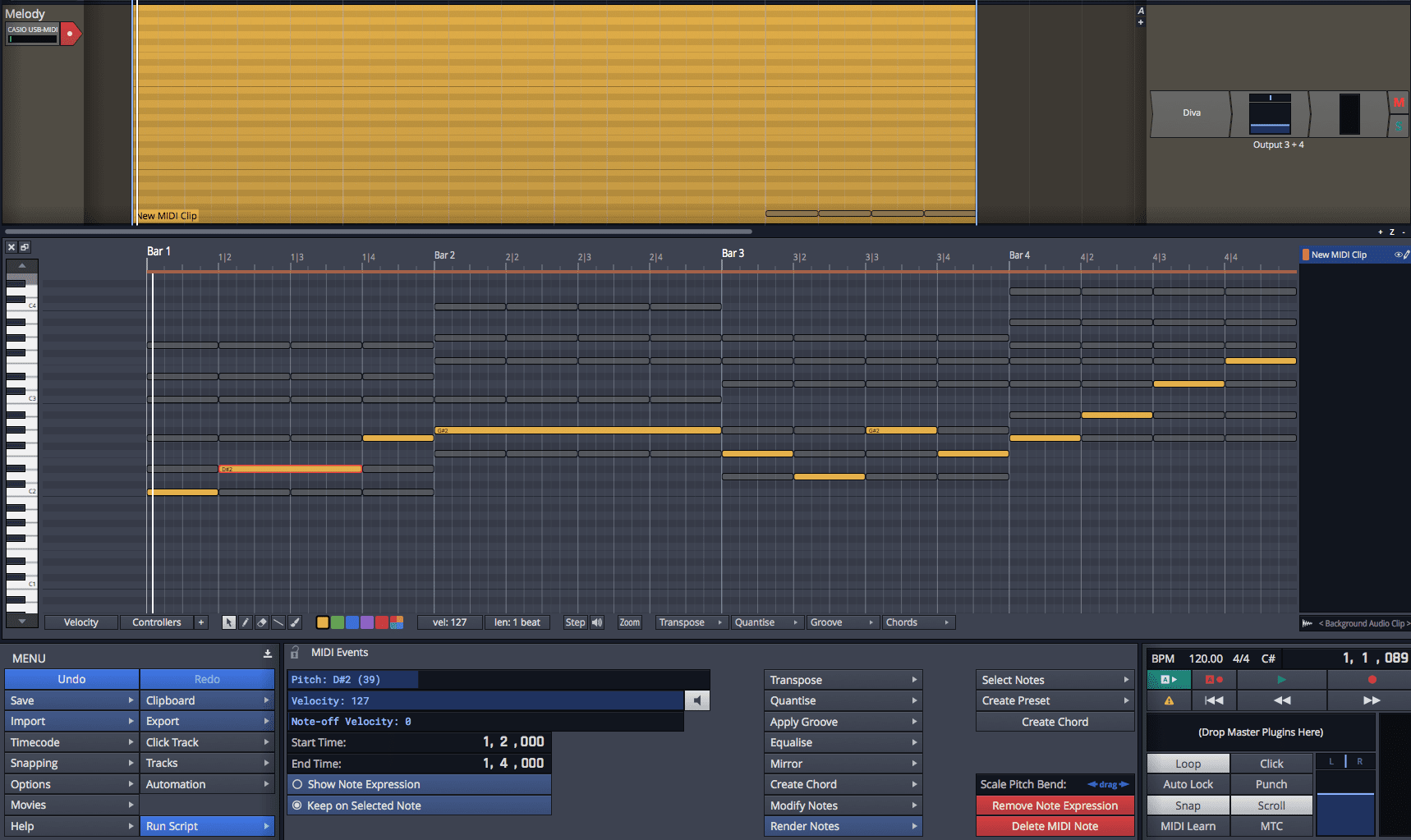
Part 4. There's just so many neat little workflow things in Waveform, that I may have to do a couple posts on just 'good things'.
Today I'm covering arrangement and composition tools. Part 5 will also cover a similar topic.
- Good
- Pattern Generator
- Edit clips
- Bad
- Folder editing
- Weird
- Chord Track
Other parts in this series:
VERSION - This review is (hopefully) accurate as of Waveform 9.1.1. Further versions may obsolete these views.