Bitwig Effects review
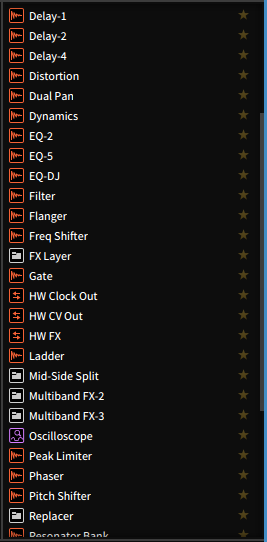
Bitwig comes with a number of stock effects. Not only are these effects largely competent in their own right, Bitwig also has some very clever routing and a comprehensive modulation system that greatly enhances what you can do with the devices.
I'm going to cover every single audio effect included in Bitwig with a basic rundown of what it does, some cool bonus features and my ADRB rating.
Spoiler - Overall rating:
Other posts in this series:
Bitwig Modulators - The coolest part of Bitwig
Bitwig has what they call their unified modulation system. The modulation system is a set of modulation devices that can be applied to any visible parameter of any effect or instrument in Bitwig.
Along with the capability of modulating existing parameters, Bitwig's modulation system is capable of being a full-fledged digital modular synthesizer!
Come with me as I walk you through probably the coolest feature in Bitwig, and perhaps a 'killer feature' if you're looking to switch to Bitwig from another DAW
UPDATED FOR 2.3
Other posts in this series:
7 Days no music results
I've had a number of readers ask me what happened with the 7 Days of no music. Well here's a short update.
The original idea was to explore a few things, some of which I didn't express in the original post:
Bitwig feature review - Note Expression
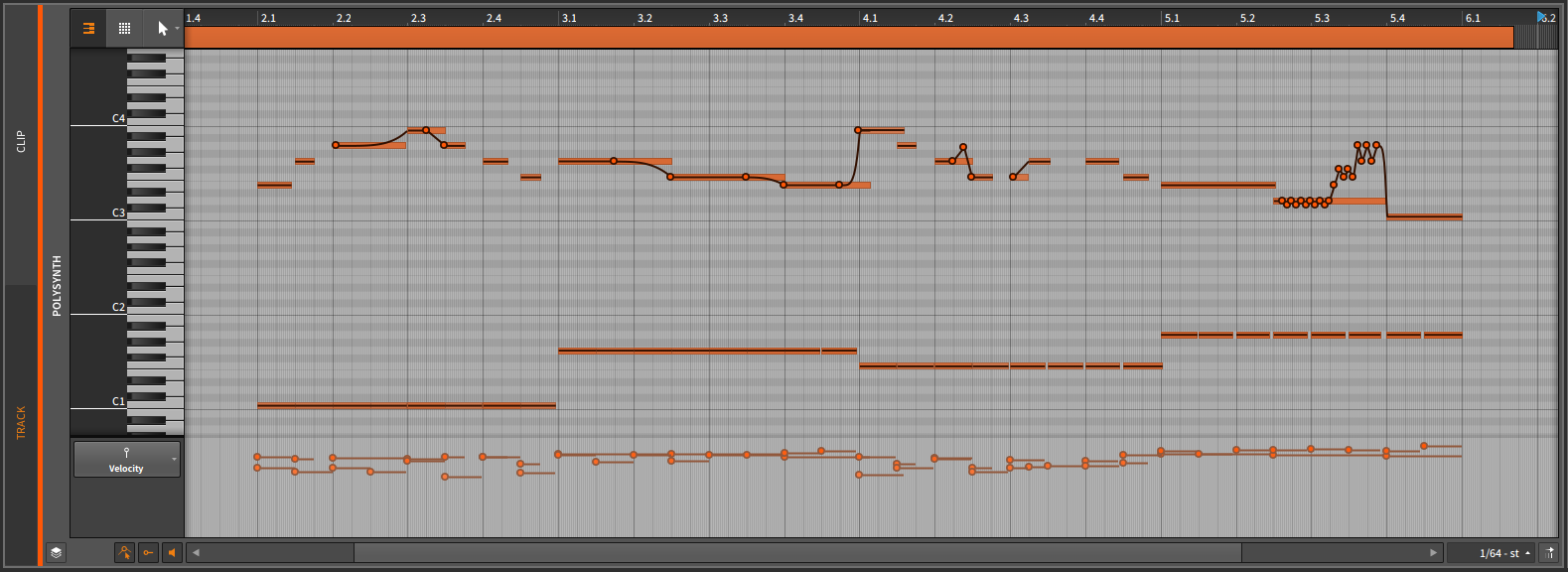
One of the major features that sets Bitwig 2 apart from other DAWs (such as Ableton Live) is Note Expression.
Note Expression, at its core, allows you to apply modulation of certain parameters to specific notes. The original midi spec only allows for control messages to be attached to the whole stream of data. With Note Expression, you can have a complex part where only certain notes that are specifically controlled.
After the break I'll break it down even further with some examples.
Other posts in this series:
Improve your Double Bass Pedal's Feel
This is what your double kick pedal is most likely. 2 U-Joints that connect a slave pedal to the main pedal.
As can be seen in the video, if the angle of the 2 joints is not identical, you can be left with a bothersome lumpy-feel in the movement of your slave pedal.
After the break I'll show you a couple easy ways to make sure that your U-Joint angles are setup identically to allow for optimal feel.
Bitwig first impressions
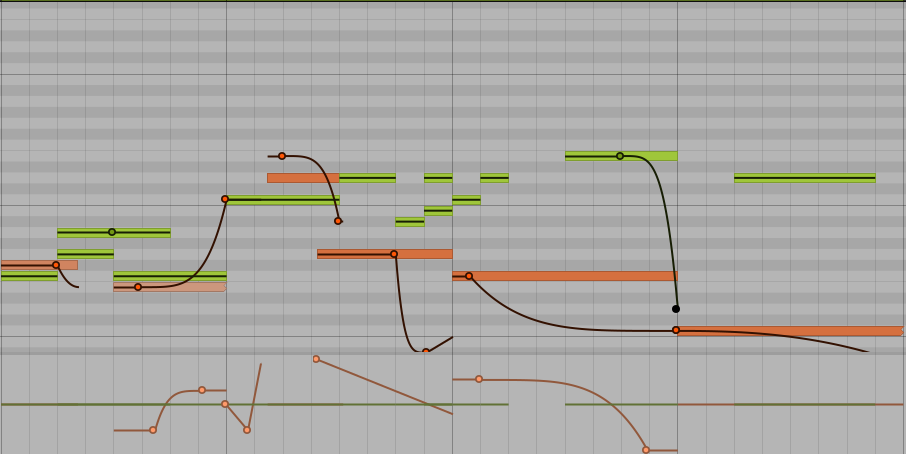
So my first few days of Bitwig have been interesting. I can't say that it's been a pleasant experience, but rarely is learning a new DAW.
Remember, these are just first impressions. I will dive in with more detailed analysis and review as this series continues over the next 26 days.
Click through for much more detailed first impressions.
Other posts in this series:
The Apron
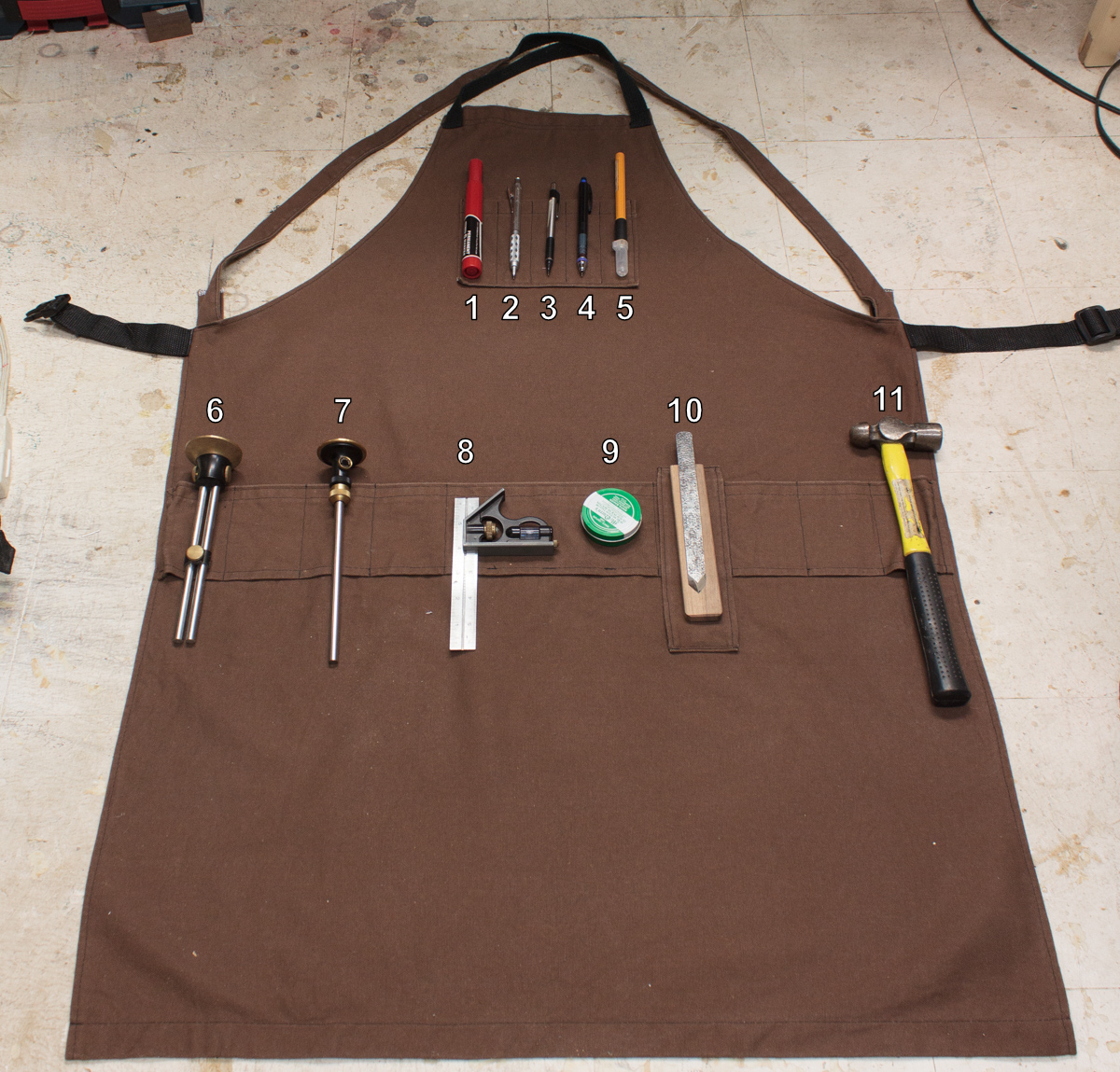 __Beautiful and functional apron__
So here's my awesome new apron that my wife made for me. It's a cross-backed apron with locking clips at the waist for holding it snuggly against my body. Custom fit, and it feels so nice to wear even with a bunch of stuff hanging off it.
I can bend, twist, squat, sit and spin in circles without the slightest bit of discomfort despite having a number of commonly used tools on me.
Click through and mouse over the images to see what I'm using in it!
Speed up your water stone sharpening with this simple hack
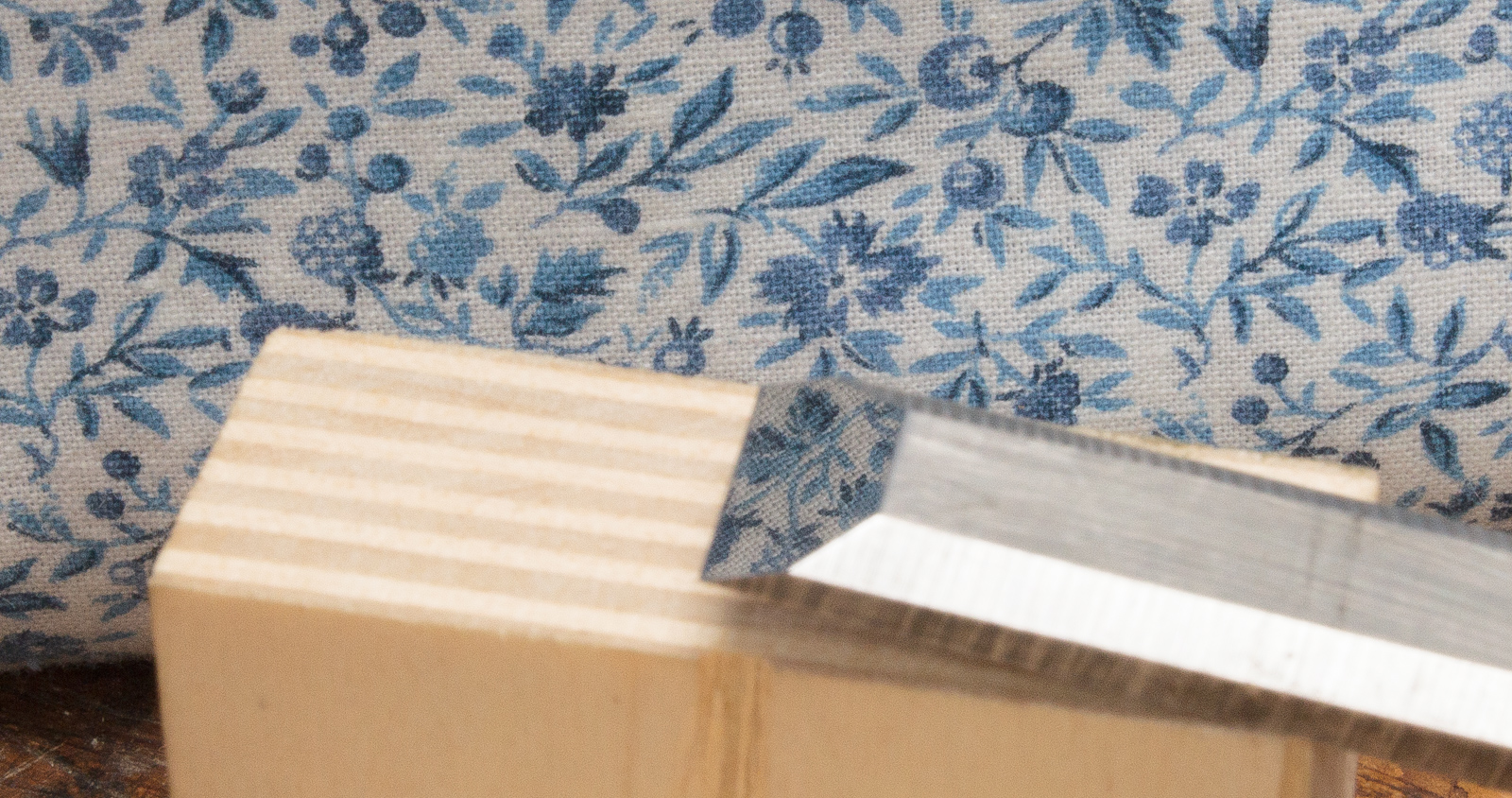
Some people love sharpening. Some people hate it. I like it, but there's no reason to spend more time doing it than necessary.
If you use water stones then there is a way to reduce time spent on each stone and improve the feeling of moving the steel across the stone.
Click through for how, and some testing!
DAW Chart v5

UPDATE: Please see the new DAW Feature Chart for more up-to-date information and a way cooler chart.
It's time for another DAW Chart!
I've spent some time thinking about how I had this setup. Having experienced DAWs that are deficient in some areas, and learning the wonders of other features, I've re-evaluated what I feel is important. There's features that I've come to rely on heavily in Reaper, and some features I've realized (analytically) that I don't use as often as I thought.
My time spent in each DAW as a percentage, according to Time Sink has been:
- Reaper - 61%
- DP - 39%
Actual chart after the break...
Level-based routing in Reaper

There may be times where you want to affect a signal based on its current level. Usually this requires some sort of ducking or gating on the effect itself, but using Reaper's Routing you can do some pretty cool things.
So here, let me explain to you how to route a signal in Reaper depending on the level of that signal.
30 days of Reaper come to an end
The 30 Days of Reaper comes to an end today. I've been through the worst and found some cool stuff.
If you know me, or have read any earlier blog posts you would know how much I've hated Reaper, and the "Reaper Users" (out in the wild at least).
So if you've been following my blog you may or may not be surprised at the conclusion of this, especially after my recent trials of Studio One and Cubase.
The penultimate post of perturbances pertaining to Reaper

This is the second to last post about my 1 month of using Reaper. As such, I'd like to cover some other things that annoy me about Reaper.
Reaper's Amazing, and Awful, Almost Anything to Anywhere Avenues (routing)
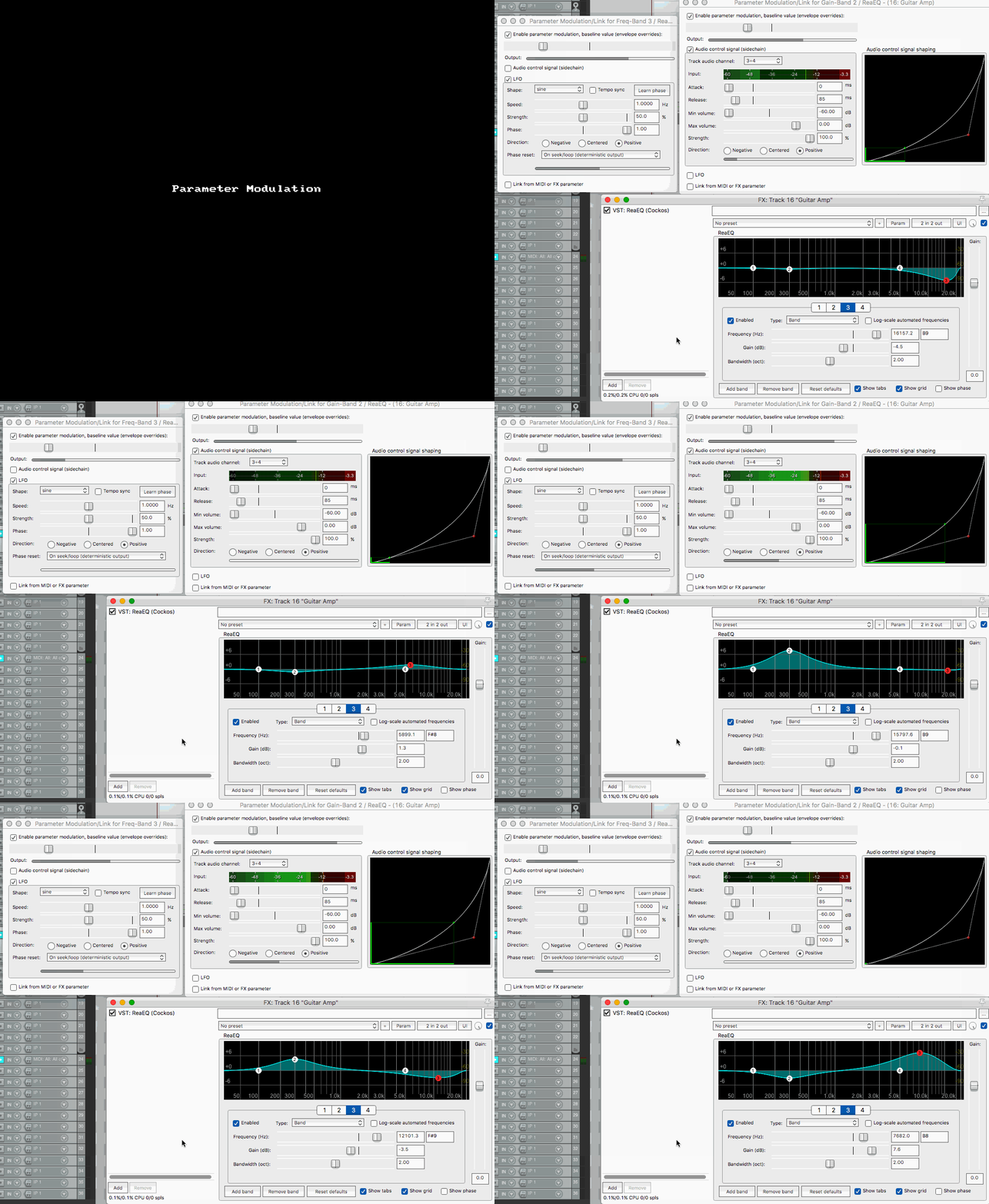
Reaper has quite a routing system. It can allow for some exceptionally cool routing configurations that will leave you scratching your head the next day.
In this post I'll be going over some of the things you can do with Reaper's routing, and I will also discuss why it will immolate your soul and leave nothing but the charred remains to remind you of your sins.
Pro Tools-like group editing in Reaper
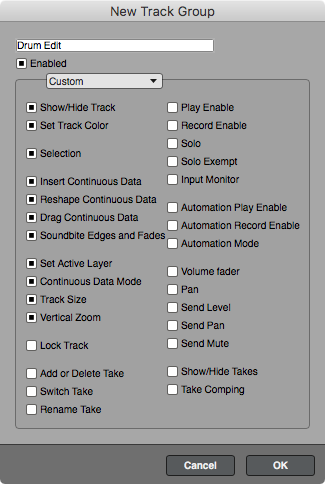
If you are not familiar with how DAWs like Pro Tools and Digital Performer handle editing multiple tracks at once, let me explain:
- You select some tracks.
- You add them to a group
- Optionally setup what is grouped about them (DP has fantastic options for this)
Now when you make an edit to a single track that is in an active group, the same edit happens to everything else in that group. Groups can be turned on/off at will quite easily.
Reaper does things quite differently, and I find it to be a pain. But there's a workaround (more like an alternate workflow) that I think is better in some case...
My Reaper Settings
ATTENTION
I will retain old settings in an archived location that I will denote here when appropriate.
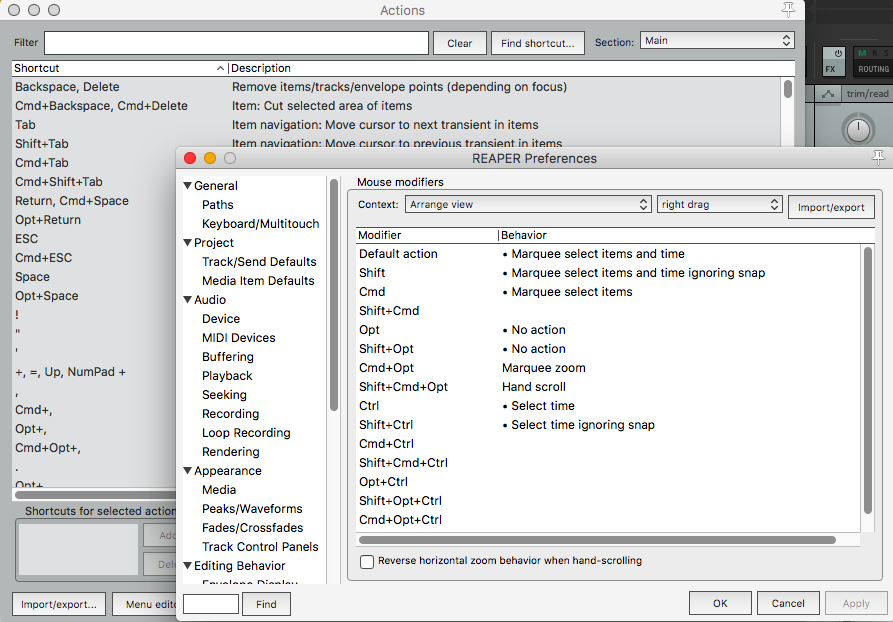
I decided to split out my Reaper settings in to its own blog post. I will be keeping this up to date everytime I change something.
I will also be adding my Radial Menu, Contextual Toolbars and anything else I see fit here. It will be labeled with the last update as well.
THIS IS IN FLUX
Last Updated - 2026 March 01